 Ivan Cernja
Zero to Production on AWS in 10 Minutes with TypeScript
From TypeScript to a running AWS deployment in under 10 minutes

Most tutorials about deploying TypeScript to AWS stop at a single Lambda function behind API Gateway. That works for a demo, but a real backend usually has multiple services, databases, event-driven communication between them, and enough infrastructure glue (Terraform, Dockerfiles, IAM policies, CI/CD pipelines) to keep a team busy for days before anything runs in production.
For TypeScript developers who've been deploying to Vercel or Railway, the learning curve on AWS isn't really the services themselves. It's the configuration layer between your code and those services: VPCs, security groups, ECS task definitions, ECR registries, and the pipeline that coordinates all of it.
This guide covers the full path: build a TypeScript backend with API endpoints, a PostgreSQL database, and pub/sub messaging, then deploy it to your own AWS account. The infrastructure is derived from the application code, so you skip the Terraform, Docker, and CloudFormation entirely.
What We're Building
A backend with two services:
- Orders service: REST API endpoints, a PostgreSQL database, publishes events when orders are created
- Notifications service: subscribes to order events and handles them asynchronously
About 50 lines of meaningful code. The infrastructure (RDS, SNS+SQS, Fargate, IAM, VPC) gets provisioned automatically from those 50 lines.
1. Create the App
# Install the CLI
curl -L https://encore.dev/install.sh | bash

# Create a new project
encore app create my-app --example=ts/hello-world
cd my-app
This gives you a project with a single service. We'll build from here.
2. Build the Orders Service
Create the orders directory with an encore.service.ts file (this is how Encore.ts identifies services), then add the business logic:
// orders/encore.service.ts
import { Service } from "encore.dev/service";
export default new Service("orders");
// orders/orders.ts
import { api } from "encore.dev/api";
import { SQLDatabase } from "encore.dev/storage/sqldb";
import { Topic } from "encore.dev/pubsub";

// Declares a PostgreSQL database. Encore provisions it per environment.
const db = new SQLDatabase("orders", { migrations: "./migrations" });

// Declares a Pub/Sub topic. Maps to SNS+SQS on AWS.
export const orderCreated = new Topic<OrderEvent>("order-created", {
  deliveryGuarantee: "at-least-once",
});

interface OrderEvent {
  orderId: string;
  customerId: string;
  total: number;
}

interface CreateOrderRequest {
  customerId: string;
  total: number;
}

interface Order {
  id: string;
  customerId: string;
  total: number;
}

// Defines a type-safe API endpoint. Encore handles routing and validation.
export const create = api(
  { expose: true, auth: true, method: "POST", path: "/orders" },
  async (req: CreateOrderRequest): Promise<Order> => {
    const order = await db.queryRow<Order>`
      INSERT INTO orders (customer_id, total)
      VALUES (${req.customerId}, ${req.total})
      RETURNING id, customer_id as "customerId", total`;
    await orderCreated.publish({
      orderId: order!.id,
      customerId: req.customerId,
      total: req.total,
    });
    return order!;
  }
);

export const get = api(
  { expose: true, method: "GET", path: "/orders/:id" },
  async ({ id }: { id: string }): Promise<Order> => {
    return (await db.queryRow<Order>`
      SELECT id, customer_id as "customerId", total
      FROM orders WHERE id = ${id}`)!;
  }
);
The database migration:
-- orders/migrations/001_create_orders.up.sql
CREATE TABLE orders (
  id UUID PRIMARY KEY DEFAULT gen_random_uuid(),
  customer_id TEXT NOT NULL,
  total NUMERIC NOT NULL,
  created_at TIMESTAMPTZ DEFAULT NOW()
);
Two API endpoints, a PostgreSQL database, and a pub/sub topic. That's the orders service.
3. Build the Notifications Service
// notifications/encore.service.ts
import { Service } from "encore.dev/service";
export default new Service("notifications");
// notifications/notifications.ts
import { Subscription } from "encore.dev/pubsub";
import { orderCreated } from "../orders/orders";

// Subscribes to the order-created topic. Encore handles delivery and retries.
const _ = new Subscription(orderCreated, "send-notification", {
  handler: async (event) => {
    console.log(`Order ${event.orderId} created for ${event.customerId}`);
    // In production: send email, push notification, Slack message
  },
});
The notification service subscribes to order events. When an order is created, the handler runs asynchronously. That's the entire service.
4. Test Locally
encore run
This starts both services with a real PostgreSQL instance (provisioned automatically via Docker), runs the database migration, and sets up pub/sub with equivalent delivery semantics. Open localhost:9400 and you get a local development dashboard with distributed tracing, an API explorer, a service graph, and a database browser.

Test it by creating an order through the API explorer. You'll see the trace span across both services: the API handler in the orders service, the publish to the topic, and the subscription handler in notifications.
5. Connect AWS and Deploy
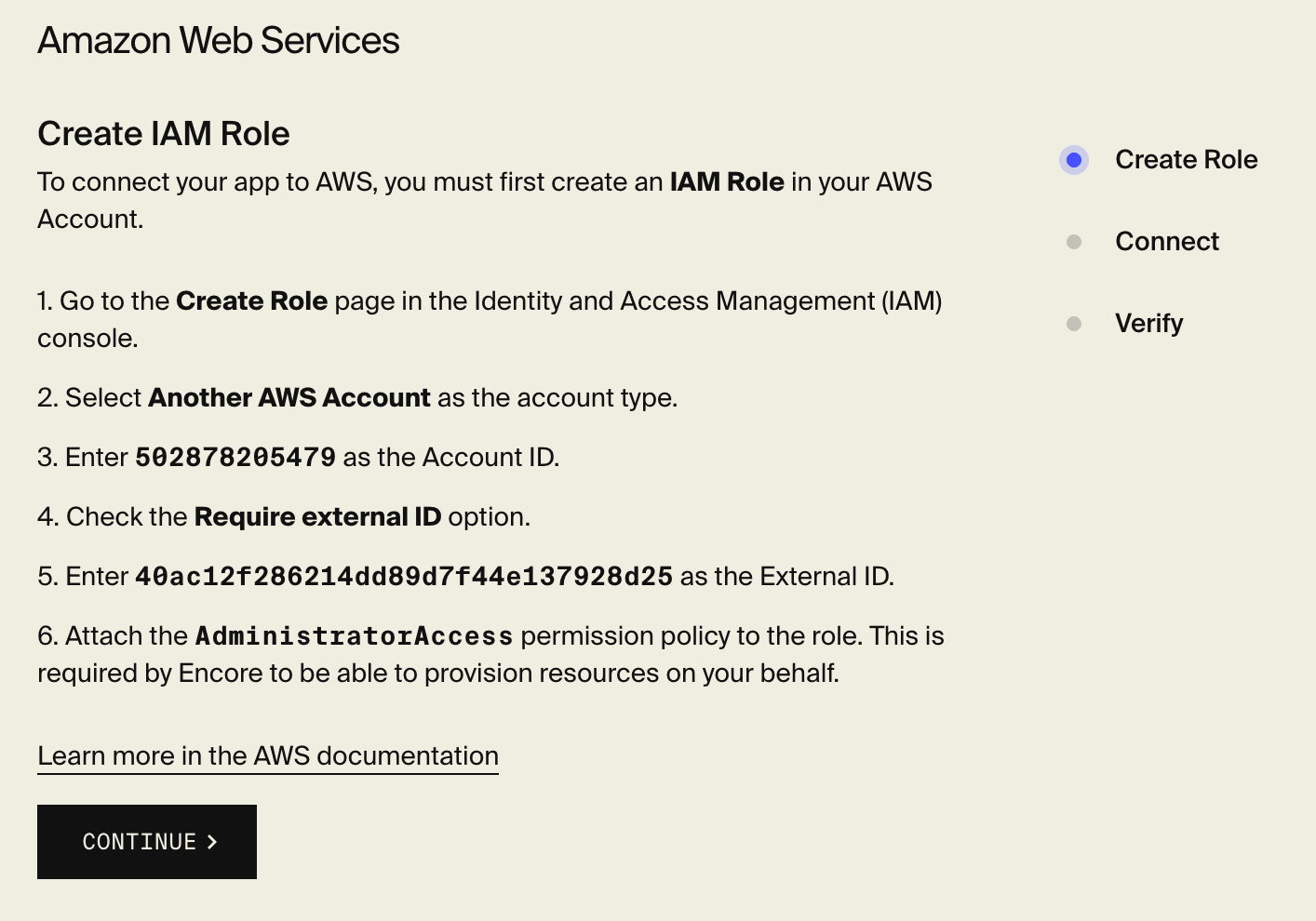
Sign up for Encore Cloud and connect your AWS account through the dashboard (one-time setup).
Then push:
git add -A && git commit -m "Initial backend"
git push encore
Encore's compiler reads the code and builds an infrastructure graph. From those 50 lines it identifies:
| What the code declares | What gets provisioned on AWS |
|---|---|
new SQLDatabase("orders", ...) | RDS PostgreSQL with backups, security groups, connection pooling |
new Topic("order-created", ...) | SNS topic + SQS subscription with dead-letter queue |
new Subscription(...) | SQS consumer on the notifications service |
Two services with api() endpoints | Two Fargate services behind a load balancer |
auth: true on the create endpoint | IAM policies scoped per service |
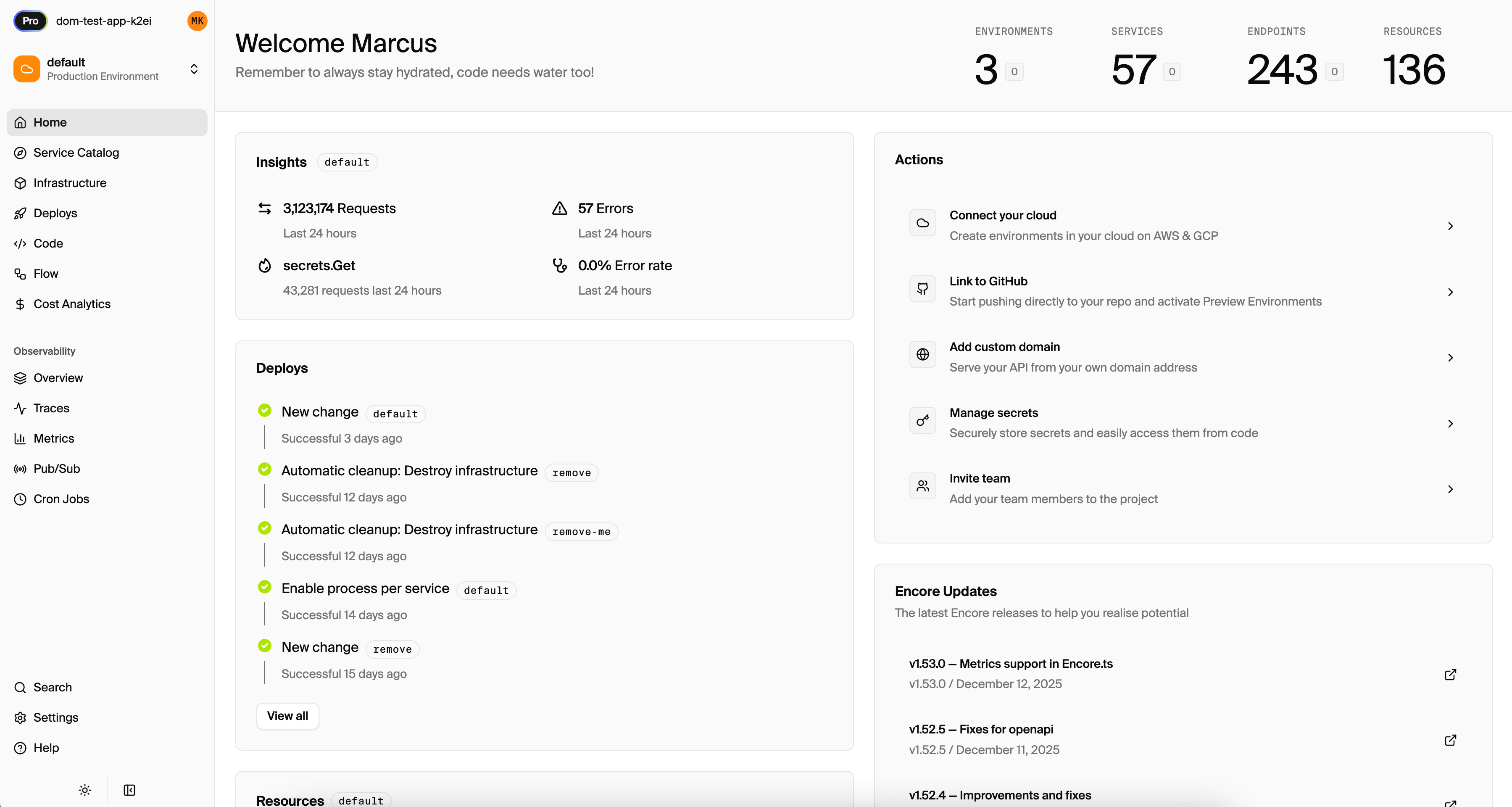
The deploy takes a few minutes. When it's done, your services are running on Fargate in your own AWS account, with the database on RDS, events flowing through SNS+SQS, and IAM policies that follow least-privilege.
What You Didn't Write
Everything below was handled automatically:
- Terraform/CDK/CloudFormation templates
- Dockerfiles and docker-compose.yml
- IAM policy documents
- VPC, subnet, and security group configuration
- ECS task definitions and service definitions
- Load balancer configuration
- Database backup and encryption settings
- CI/CD pipeline configuration
- Environment variable management
- SNS/SQS dead-letter queue setup
Each of those is a solvable problem individually. Together they take days for a two-service backend. When infrastructure follows from code, they don't exist as separate artifacts.
Adding More Services
Adding a third service (say, an analytics service with its own database and a cron job) is more application code and a git push. The infrastructure graph grows automatically from the new declarations.
Want to jump straight to a running app? Clone this starter and deploy it to your own cloud.